Your accounts.
A clear overview.
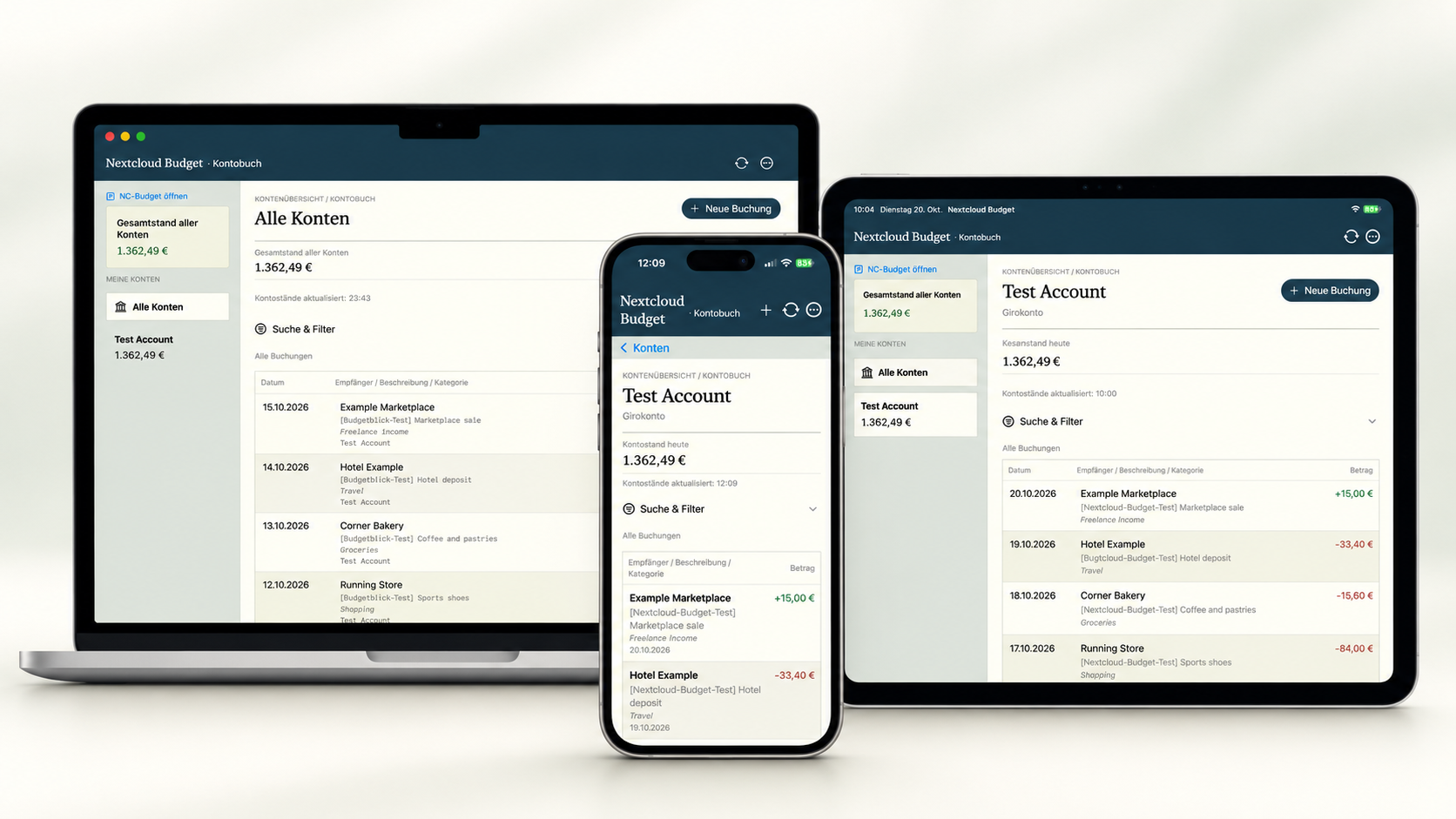
Account balances and transactions, neatly organized in one place. Combined balances are calculated separately for each currency, keeping the numbers clear.
 Budgetwerftfor Nextcloud
Your finances. Your Nextcloud. In a native Apple app.
Budgetwerft brings your ledger to iPhone, iPad, and Mac –
so you can keep track of more and worry about less.
LESS EFFORT. MORE CLARITY.
From a quick purchase to your monthly overview, Budgetwerft makes managing your finances feel effortless.
Account balances and transactions, neatly organized in one place. Combined balances are calculated separately for each currency, keeping the numbers clear.
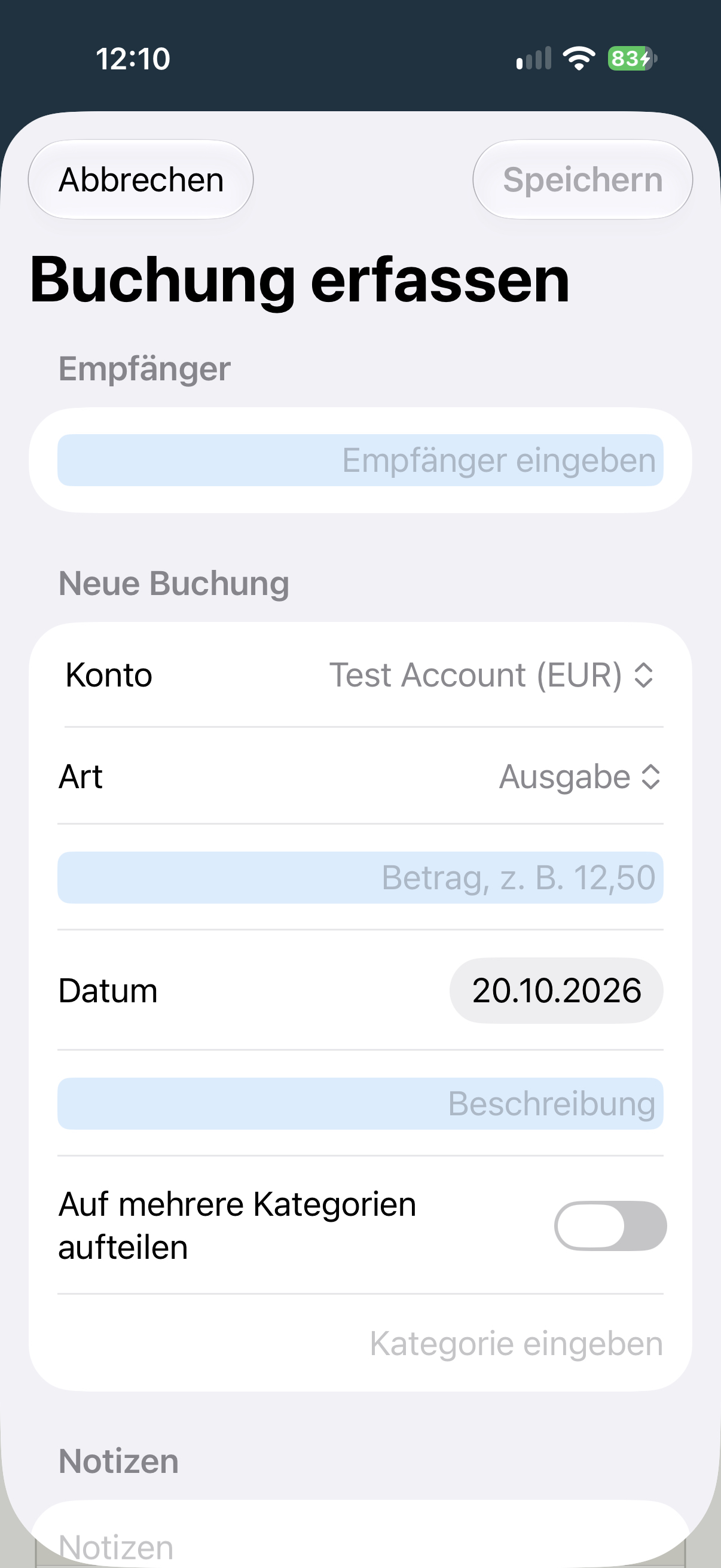
Record income and expenses with a category, payee, date, and notes. Templates and payee suggestions save you from typing the same details again.
Search and filter by date range, category, transaction type, status, and receipt presence. Search loads server-side matches for your account page by page, and you can cancel loading further results.
 RECORD ON THE GO.
SMALL DETAILS. BIG DIFFERENCE.
Groceries and household supplies on one receipt? Simply split a transaction across multiple categories.
CAPTURE RECEIPTS. REUSE THE TEXT.
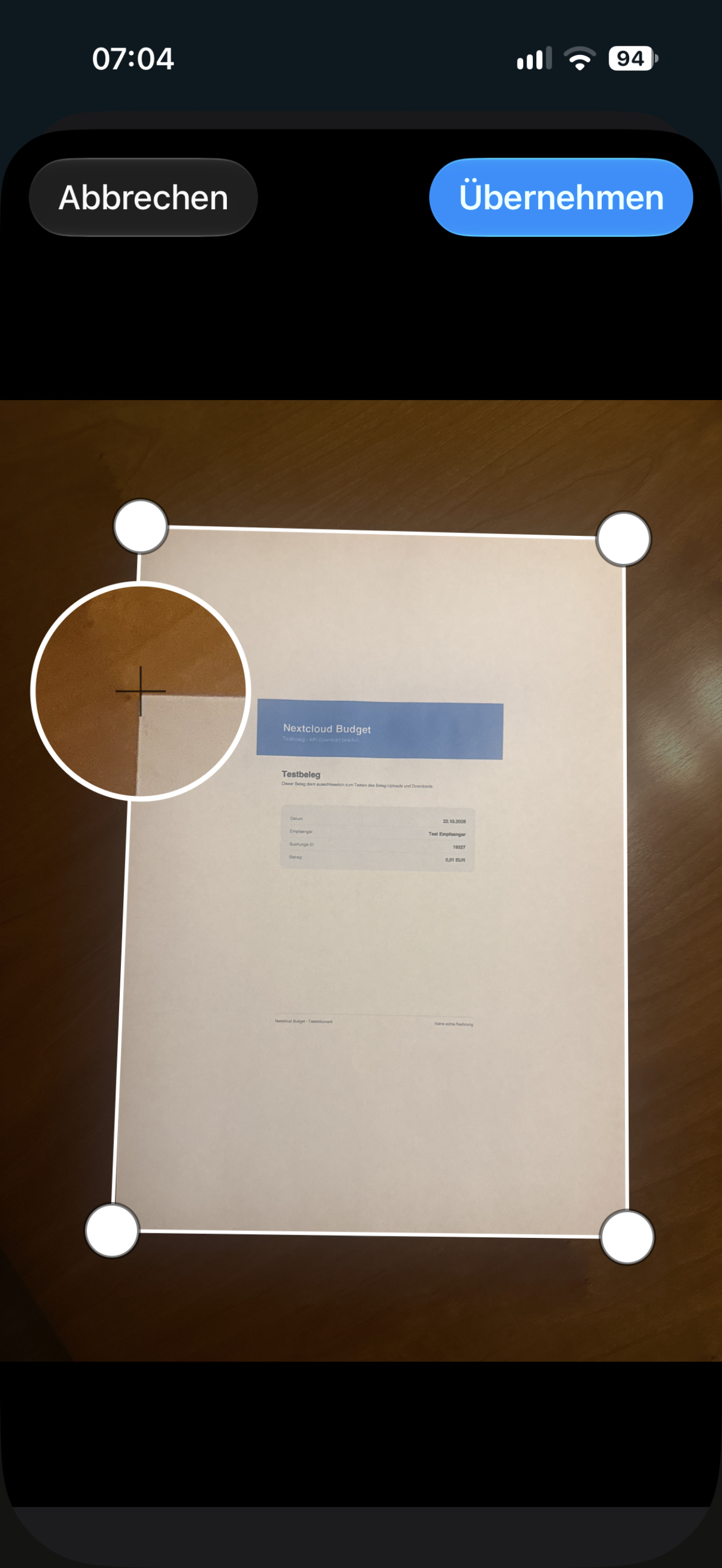
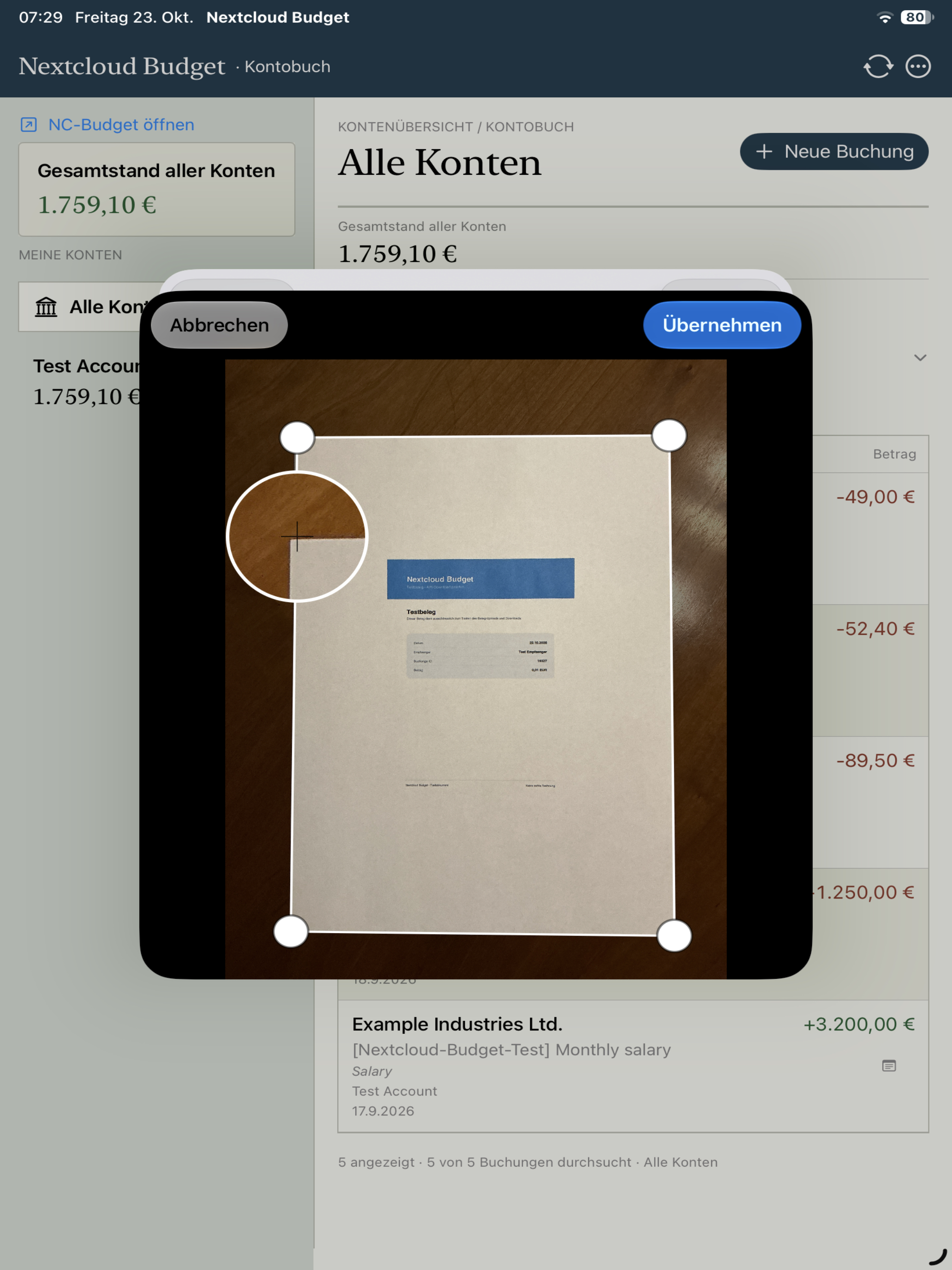
Photograph receipts on iPhone or iPad, adjust the size and crop, and correct the orientation and perspective. Then attach the receipt to a payment to keep the transaction and its supporting document together.
Capture your receipt directly with the camera.
Move the four corners until the area you want to keep is selected.
Adjust the orientation and correct the perspective of receipts photographed at an angle.
NEW IN DEVELOPMENT
Create searchable PDFs from your photos and transfer transaction details directly from a receipt. The app reads multi-page PDFs page by page, with a progress indicator and an option to cancel.
Read receipt text locally on your iPhone, iPad, or Mac. Select recognized lines and use them as the payee, amount, or description. Review the details before saving.
Photographed and cropped receipts are prepared as searchable PDFs and attached to the transaction when you save. You can also export the PDF separately.
Zoom in, zoom out, and pan through image and PDF previews. Visible zoom buttons also help you inspect small amounts and individual receipt items, including on Mac.
Text recognition and PDF creation take place locally on your device. No additional cloud OCR service is needed for this processing; the receipt is uploaded to your Nextcloud when you save.
Development status as of October 28, 2026. Availability depends on your installed app version, the version released on the App Store, and your Budgetwerft API.
AT HOME ON EVERY SCREEN
Built with SwiftUI for Apple devices, with adaptive layouts and support for light and dark mode.

Manage different Nextcloud user accounts and switch between them conveniently.
Enter actual investment account balances, review the differences, and create adjustment transactions. The app stores pending adjustments and their transaction details in Apple Keychain.
If a connection is interrupted, pending transaction requests remain available for review and retry. Idempotency keys help prevent duplicate transactions.
NEW IN DEVELOPMENT
Review your monthly budget and keep upcoming payments in view. The new overviews help you understand spending and spot due dates ahead of time.
Compare the budget, spending, and remaining amount for the selected month. Check categories and available carryovers, and choose a different month or year.
A dedicated overview shows overdue payments and payments due within the next 60 days. View the amount and account; the app marks variable amounts as estimates.
Ledger search loads server-side matches for your account page by page. Filter by category, including split transactions, and use six-month or one-year date ranges.
Development status as of October 28, 2026. Availability depends on your installed app version, the version released on the App Store, and your Budgetwerft API.
DO MORE WITH YOUR EVERYDAY FINANCES
Record, edit, and transfer between accounts directly in the app, whenever your Budget API supports the feature.
Move money between open accounts in the same currency. Identify linked transfers in the list and find the other account in the transaction details.
Edit existing transactions from their details. Some fields remain protected for split transactions and transfers; reconciled amounts require additional confirmation.
Remove transactions after explicit confirmation. The transaction list and account balances refresh afterwards.
Filter your ledger to show transactions with receipts. A dedicated icon marks existing receipts directly in each transaction row, alongside the notes icon where applicable.
Allow or disable creating, editing, and deleting transactions separately for each saved profile. These settings control actions within the app; your Nextcloud permissions still apply.
Categories display icons supplied by your Budget API. Header actions use a second row on iPhone, compact icons on iPad, and descriptive labels on Mac.
If your Budget API does not include receipt status in the transaction list, the app checks receipts through an additional request. It temporarily caches the result and flags failed lookups.
Development status as of October 28, 2026. Availability of the new features depends on your installed app version, the version released on the App Store, and your Budgetwerft API.
YOUR DATA. YOUR CONNECTION.
Budgetwerft connects directly to your own Nextcloud. Keep your existing financial setup and enjoy convenient access on your Apple devices.
Available features depend on your installed Budget version and its API. Editing and deleting existing transactions are available where supported.
Budgetwerft is available on the App Store. Discover the app and connect it to your own Nextcloud.

What works well? Where do you run into problems? Which feature would make your daily routine easier?
When reporting a bug, include your device, operating system version, and the steps to reproduce it. Please remove personal financial information and credentials from screenshots and logs.
Your own Nextcloud with the Budget app installed, and iOS/iPadOS 17 or macOS 14 Sonoma or later.
GOOD TO KNOW
Budgetwerft adds a native interface for Apple devices to the Budget app for Nextcloud. You need your own Nextcloud with the Budget app installed.
Use your Nextcloud HTTPS address, username, and an app password created in Nextcloud. Saved credentials are stored in Apple Keychain.
Budgetwerft is available on the App Store. View the app on the App Store ↗
The screenshots show Budgetwerft on Mac, iPhone, and iPad with sample data. The language and appearance may vary depending on your device and settings.
On iPhone, iPad, and Mac, you can read receipt text locally, select a recognized line, and use it as the payee, amount, or description. Review the details before saving. Availability depends on your installed app version.
In the current development version, photographed and cropped receipts are prepared as searchable PDFs. The receipt is attached to the transaction when you save. A separate PDF export is also part of these additions. Available features depend on your installed app version.
It shows your budget, spending, and remaining amount, along with categories and available carryovers. You can choose the month and year. Availability depends on your app version and Budgetwerft API.
The new payment overview shows overdue payments and payments due within the next 60 days. Variable amounts appear as estimates. Older Budget servers without the required API receive an explanatory message.
Select the “With receipt” filter in the ledger. A receipt icon also marks transactions with existing receipts. You can search older pages for the next matching transaction, and the app flags failed receipt lookups separately.
Yes. Allow or disable creating, editing, and deleting separately for each saved profile. These settings affect actions within the app and do not change permissions on your Nextcloud server.